
What is the best software for texturing 3D models?
The short answer
There is no single best texturing program, because texturing covers several different ways of working. For painting detailed PBR textures in layers, Substance 3D Painter is the industry standard. For a free tool that also models, unwraps, bakes, and renders, Blender is the obvious choice. 3DCoat is strong for artists who want painting, sculpting, and UV tools in one license, and Mari is built for film-scale texture sets. Procedural tools, scanned libraries, and image editors fill other roles, and AI texture generators such as TextureFast produce a complete textured first pass from a prompt in seconds. Most professionals combine two or three of these.
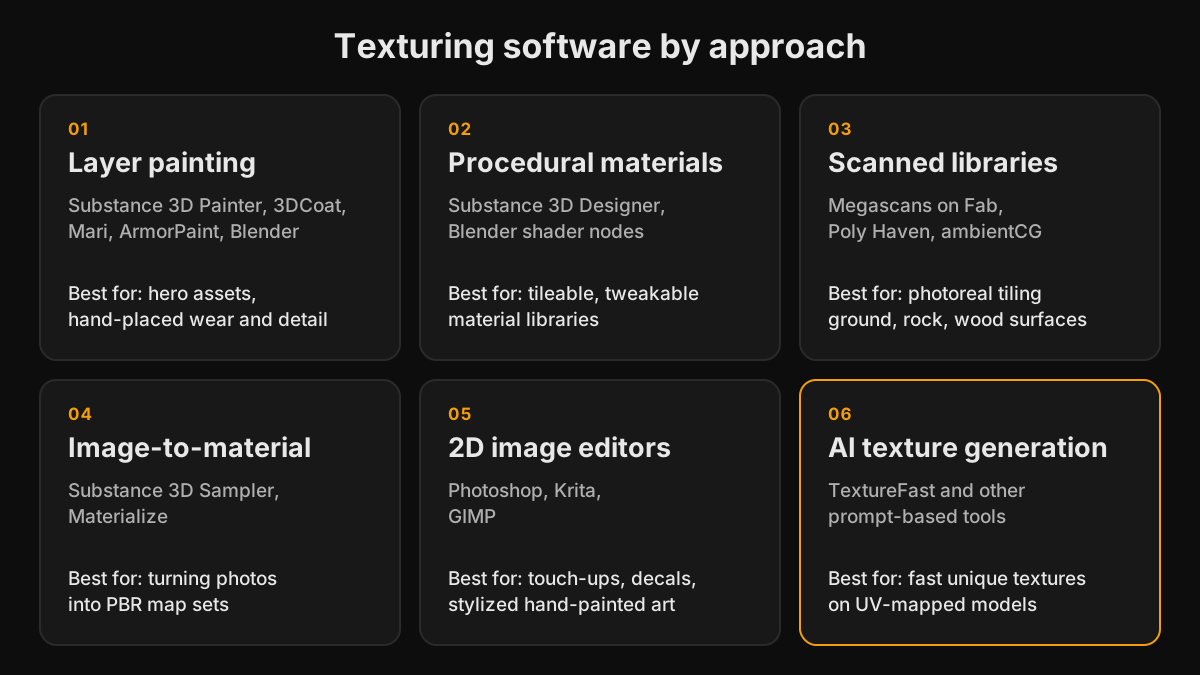
Layer painting tools
Adobe Substance 3D Painter
Painter works like Photoshop in 3D: you stack fill and paint layers, mask them with generators driven by baked curvature and ambient occlusion, and apply smart materials that add edge wear and dirt automatically. It bakes maps itself and ships export presets for Unity, Unreal Engine, and glTF. It is the default in most game studios. It is available through an Adobe Substance 3D subscription or as a perpetual license on Steam, and it takes a few weeks to feel fluent.
Blender
Free and open source. Blender covers modeling, UV unwrapping, baking with Cycles, procedural shader nodes, and texture painting in one app. Its painting workflow is more basic than dedicated tools, and layered painting usually needs node setups or add-ons, but for learning and for solo projects nothing beats the price. TextureFast also has a Blender add-on for generating textures without leaving the viewport.
3DCoat
Combines PBR painting with voxel sculpting, retopology, and strong UV tools. It is sold with perpetual licenses, which makes it popular with indie developers who prefer not to subscribe.
Foundry Mari
Built for film and VFX, where a single character can use dozens of UDIM tiles at high resolution. It handles enormous texture sets that other painters struggle with, at a price and complexity that make sense mainly for studios.
ArmorPaint
A lightweight, open-source painter with a node-based workflow similar to Substance. The feature set is smaller, but it is inexpensive and runs well on modest hardware.
Procedural and image-based tools
Substance 3D Designer builds tileable materials from node graphs, so a brick wall can expose parameters for brick size, mortar depth, and wear. It is powerful and has a steep learning curve. Substance 3D Sampler and the free Materialize turn photos into full material sets with normal, roughness, and height maps. Blender's shader nodes can create procedural materials too, which you can bake to image textures for export to game engines.
Baking tools
Baking transfers detail from a high-poly model onto the low-poly model's textures as normal, ambient occlusion, curvature, and position maps, which painters then use as masks. Substance 3D Painter and Blender Cycles both bake, and Marmoset Toolbag is a favorite in game studios for fast, clean bakes and for presenting finished assets in real time.
Material libraries
Sometimes the best software is a library. Megascans on Fab offers scanned surfaces, while Poly Haven and ambientCG offer free CC0 materials. They are excellent for environments, terrain, and architectural visualization, but they are tiling materials. They do not give a prop its own worn edges or decals unless you combine them in a painter or use them with triplanar projection.
2D image editors
Photoshop, Krita, and GIMP are still used for editing maps, painting decals, fixing seams, and creating hand-painted stylized textures directly over an exported UV layout. The free UV maps extruder exports a model's UV layout as a PNG for exactly this kind of work.
AI texture generators
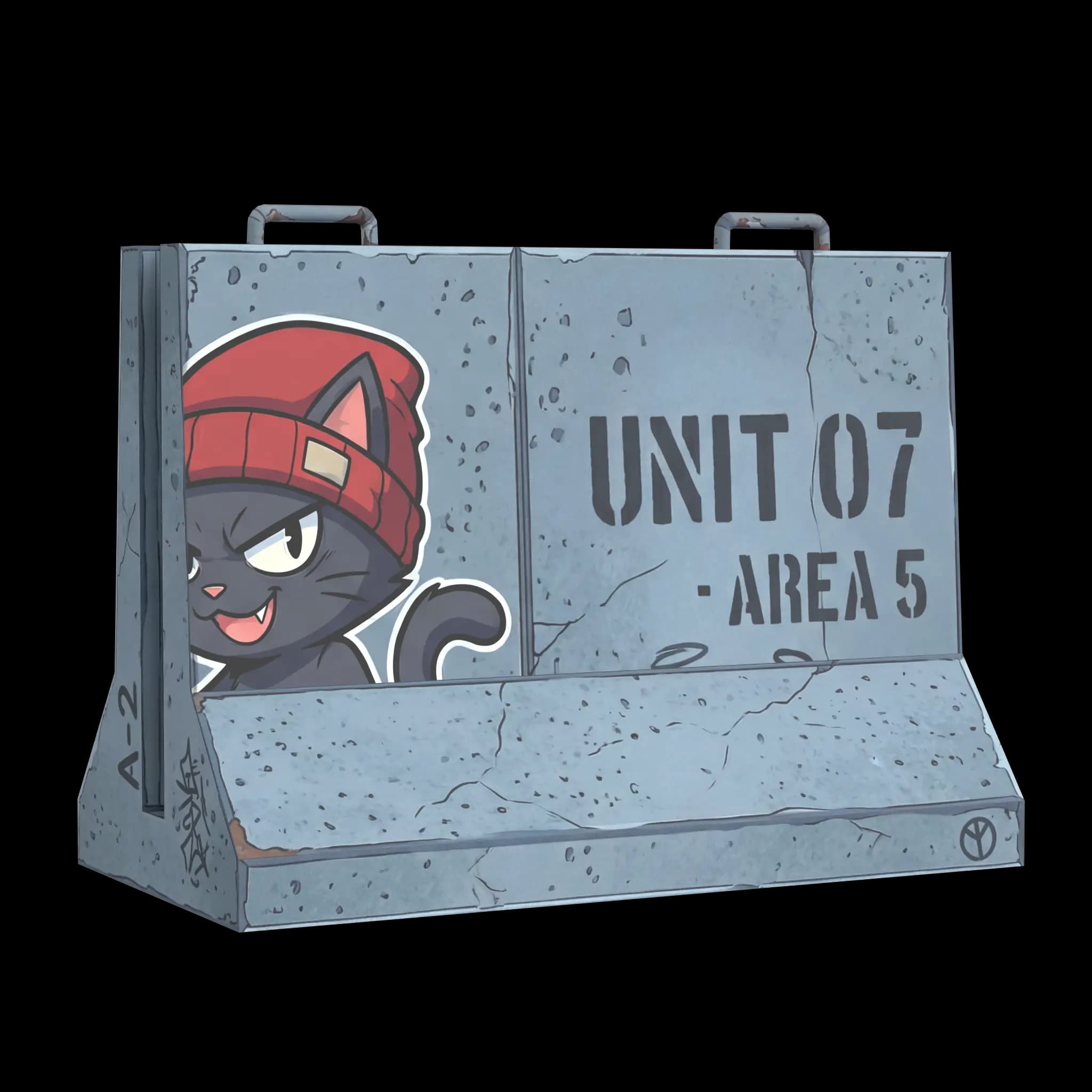
AI tools generate textures from a text prompt or reference image. Some produce square, tileable materials, while others are model-aware and paint a texture into a specific model's UV layout. TextureFast is model-aware: you upload a UV-unwrapped GLB, GLTF, OBJ, or FBX file, the UV layout is rendered in your browser and sent with your prompt, and the mesh itself is not uploaded. You get a Base Color in seconds and can extract Normal, Roughness, Height, Ambient Occlusion, and Albedo maps from it. The trade-off is precision: AI is fast and good at believable materials, but it does not place a logo or a specific scratch exactly where you want it. Hero assets often get a final pass in Painter, Blender, or Photoshop.
How to choose
- Beginner on no budget: Blender for everything, CC0 materials from Poly Haven or ambientCG, and a free UV checker.
- Indie developer with many props: an AI first pass in TextureFast for volume, then Substance 3D Painter or Blender for hero assets.
- Studio game art: Substance 3D Painter and Designer, with Marmoset Toolbag or Painter for baking.
- Film and VFX: Mari for large UDIM sets, often alongside Substance.
- Architectural visualization: tiling libraries and procedural materials for surfaces, and AI texturing for unique furniture and props.
- Stylized hand-painted art: Blender Texture Paint, 3DCoat, or Photoshop and Krita over the UV layout.
Texturing software for beginners and on a budget
If price is the deciding factor, the free options are Blender, Krita, GIMP, Materialize, and the CC0 libraries, and ArmorPaint's source code is free to build. One-time purchases include 3DCoat and the Steam edition of Substance 3D Painter. Adobe Substance 3D and Mari are subscriptions. TextureFast uses monthly or yearly plans with a token allowance, so the cost scales with how many textures you generate. Prices change often, so check each vendor's current pricing page before deciding. For beginners, the learning curve matters as much as the price: Blender and Painter have the largest tutorial libraries, and AI generation has the shortest path from untextured model to usable maps.
Whichever tool you pick, UVs come first
Every painter, baker, and AI texturing tool that creates unique textures depends on the model's UV layout. Overlapping islands, heavy stretching, or badly placed seams cause problems in any of them. Check the layout in the free UV map inspector before texturing, and fix it in your modeling tool if needed.
Ready to try it?
Open the matching TextureFast workflow
Continue from this answer into the public workflow page, then start generation or compare plans when you are ready.